I Asked AI to Make My Photo Better. But Did It Keep Me?

I have been playing with AI photo editing lately, and this time I decided to try something with my own photo. Not to create a new person, not to change my face, just to see what AI would do with a simple request.

I had a photo of myself wearing a salwar. Nothing special about the photo, just a regular picture. I wanted to use it for my Facebook profile, so naturally, I started thinking about editing it.
I have been using Lightroom for years. I enjoy photography, and editing photos is something I like doing myself. I know how to adjust the lighting, colors, shadows, and skin tones. Sometimes I spend quite a bit of time on one photo, making small changes until I feel happy with it.

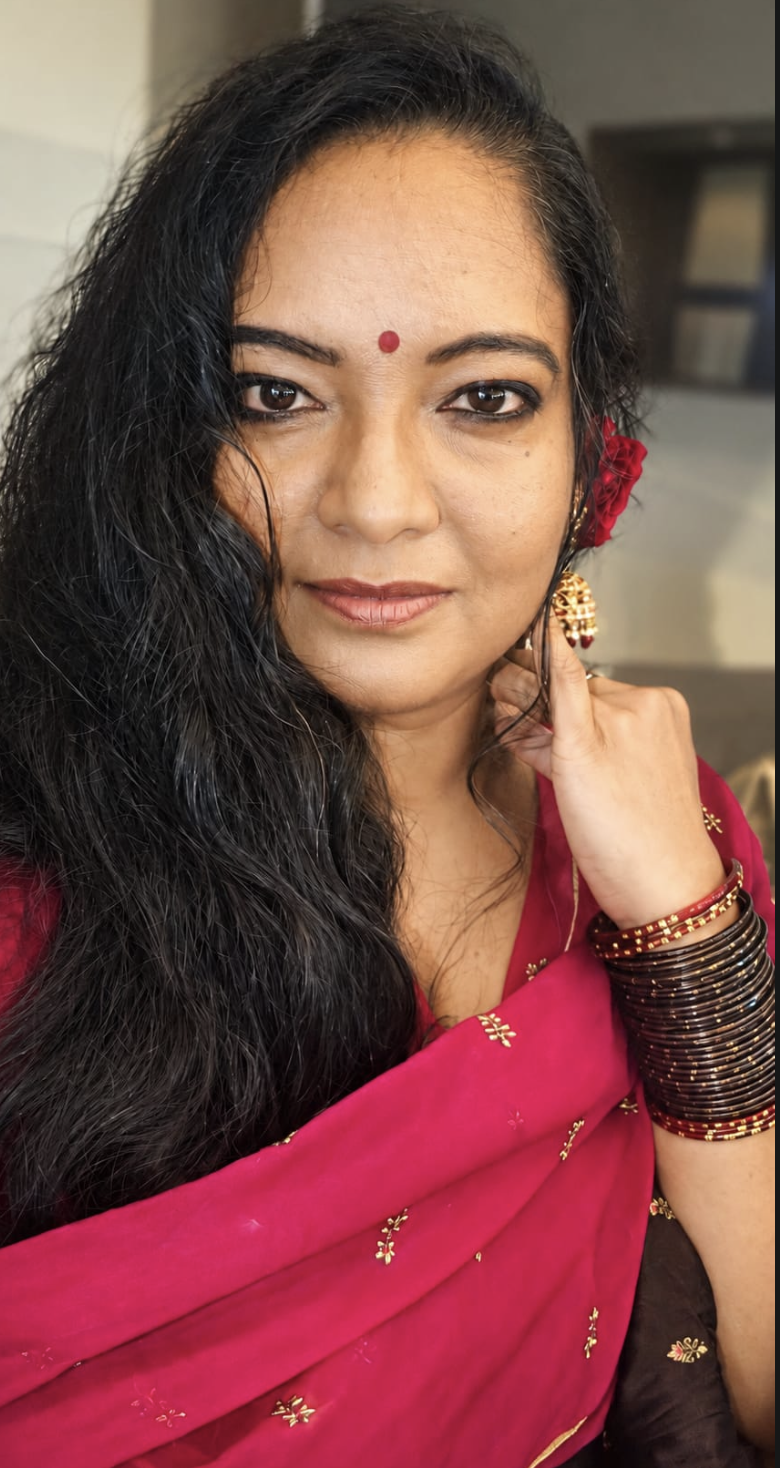
So I edited the photo in Lightroom, the way I normally would. That became my second photo.
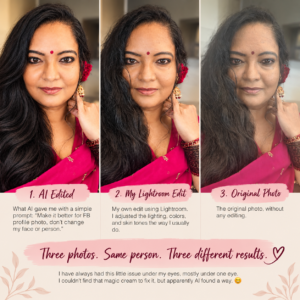
Then I thought, why not give the same original photo to AI and see what happens? I didn’t write a long prompt or explain every little thing I wanted changed. I simply typed:

“Make it better for fb profile photo, don’t change my face or person.”

That’s it. One sentence.

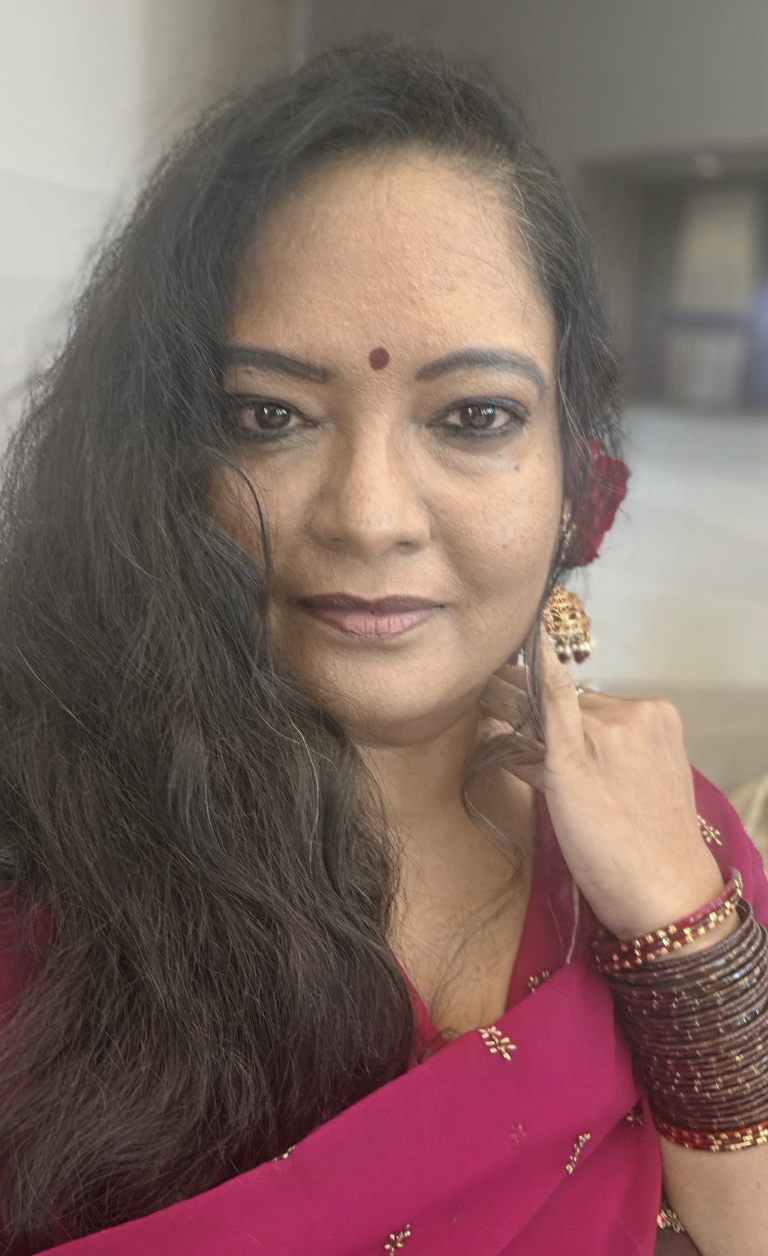
And AI gave me the first photo.
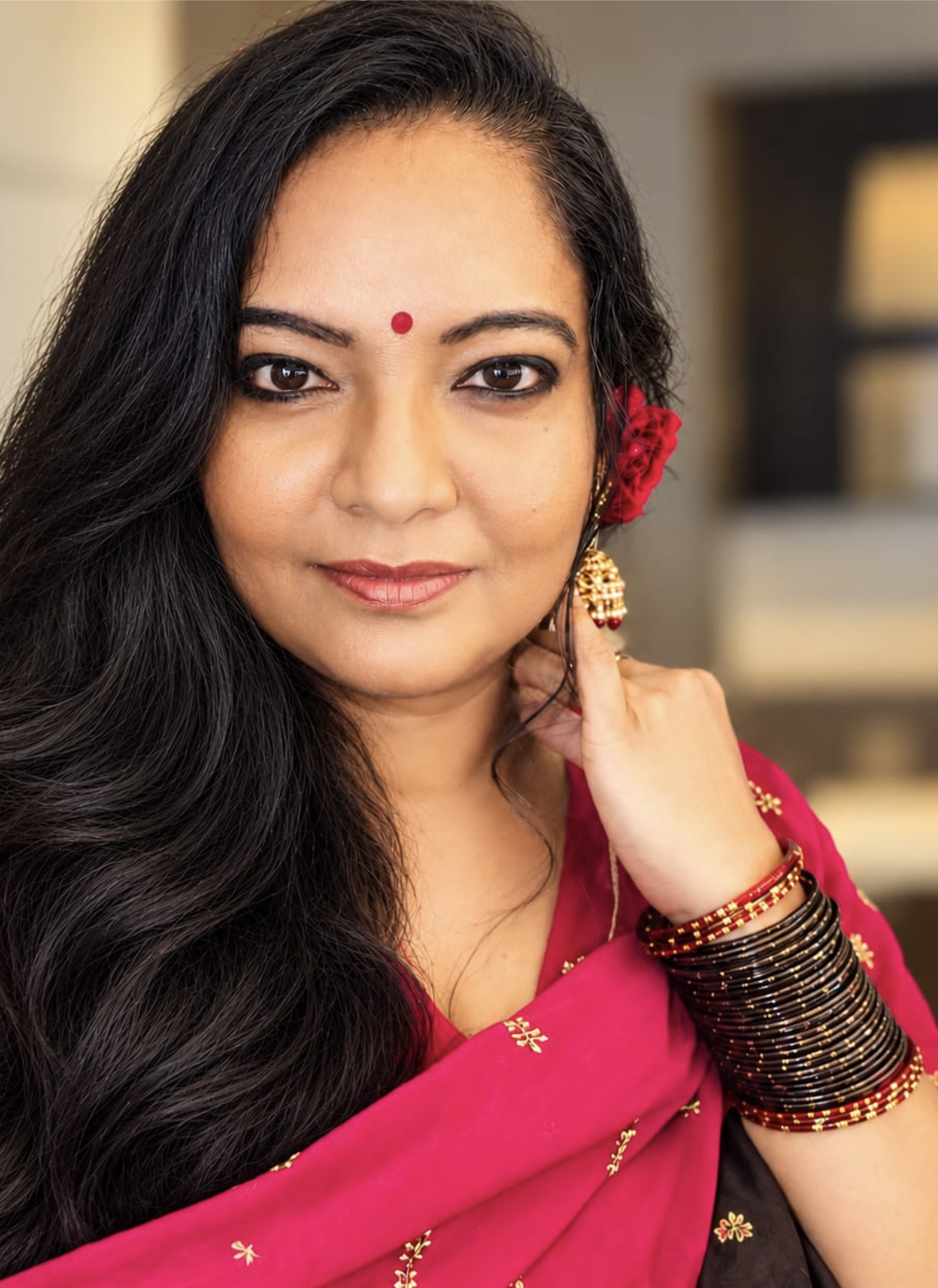
Now, looking at all three photos together, I started noticing the differences. The last photo is the original, with no editing at all. The middle one is my Lightroom version, where I made the adjustments myself. And the first one is the AI version.

One thing I noticed immediately was my under-eye area. I have always had this issue, mostly under one eye. I have tried to find that magic cream that is supposed to make everything look better, but I still haven’t found it. Apparently, AI didn’t need a cream. It just fixed the appearance in the photo!

Of course, that doesn’t mean my under-eye problem disappeared in real life. I still have the same face when I look in the mirror. But it was interesting to see how easily AI could make those little changes in a photograph.

What surprised me wasn’t just the under-eye correction. It was how quickly AI did the whole thing. When I edit a photo manually, I make decisions about the brightness, shadows, colors, and every adjustment. With AI, I gave it one instruction and let it decide what would make the photo better.

But that also made me think about something. When we ask AI to make our photos better, what does better actually mean? Is it better lighting? Better skin? Fewer wrinkles? Or does AI have its own idea of how we should look?

I specifically told it not to change my face or the person. That part was important to me. I didn’t want to look like somebody else. I wanted the photo to look like me, just with a few improvements.

I kept comparing the three versions. My original photo was simply me, exactly as the camera captured me. My Lightroom version was how I wanted to edit myself. The AI version was how AI interpreted my request.

And after all that comparing, guess which one I picked?

The AI version.

Yes, I already updated my Facebook profile photo with it.

Does that mean I’m going to stop using Lightroom? No. I still enjoy editing my own photographs, and I don’t think AI replaces everything we do as photographers. Sometimes I want complete control over an image, and sometimes I just want a good result without spending too much time on it.

What I found interesting was that I could get a result I liked with such a simple prompt. I didn’t need to learn another editing technique or spend time moving sliders around. I just told AI what I wanted.

At the same time, I know the AI photo is still an edited version of me. It’s not exactly what the camera captured, just as my Lightroom photo isn’t exactly the original either. The difference is who made the editing decisions.

Looking at these three photos made me think about how much photo editing has changed. We went from darkrooms to Photoshop and Lightroom, and now we’re simply talking to AI.

And I’m sitting here wondering how many more things we’ll be doing this way in the next few years.

For now, I’m happy with my new Facebook profile photo. And I’m still looking for that magic under-eye cream. AI can fix my photo, but I need something that works when I’m not looking at a screen!

So tell me, looking at these three photos, which one would you choose?

Photo 1 – AI edited
Photo 2 – My Lightroom edit
Photo 3 – Original, without editing

Would you choose the original, do your own editing, or let AI do the work?
PJ4Ever Photography: Breaking the Mold of Ordinary Photography

Woman wearing oversized sunglasses and textured wide-brimmed hat in black and white portrait photography

Let’s face it, most photographers follow a predictable formula: pose the subjects, snap the shot, and apply some basic editing. But what if you crave something more? Something that truly reflects your unique personality and style? And what if you’re tired of feeling like you have to fit into a certain mold to look good in photos?

That’s where PJ4Ever Photography, helmed by the visionary Praveena Ane Nenu, steps in. Praveena understands that your photos should be as individual as you are, and that true beauty comes in all shapes, sizes, and forms.

Here’s how PJ4Ever Photography stands out from the crowd:

Feature Typical Photographers PJ4Ever Photography
Posing Stiff, traditional poses. Everyone lined up or sitting awkwardly. Dynamic and natural poses that capture genuine emotion and interaction.
Angles Straight-on, predictable angles. Creative angles that add depth and visual interest. Think high angles, low angles, and unique perspectives.
Lighting Reliance on natural light or basic flash. Masterful use of light and shadow to create mood and drama.
Colors Standard color correction for brightness and clarity. Emphasis on vibrant colors and creative color grading to enhance the mood and story.
Editing Basic Photoshop edits for touch-ups. A blend of artistic techniques and effects to create truly unique and stylized images.
Overall Result Generic photos that look like everyone else’s. One-of-a-kind images that tell your story in a captivating way.

 What makes PJ4Ever Photography truly special?

Read more

Beauty in Simplicity: The Timelessness of Black and White Photography

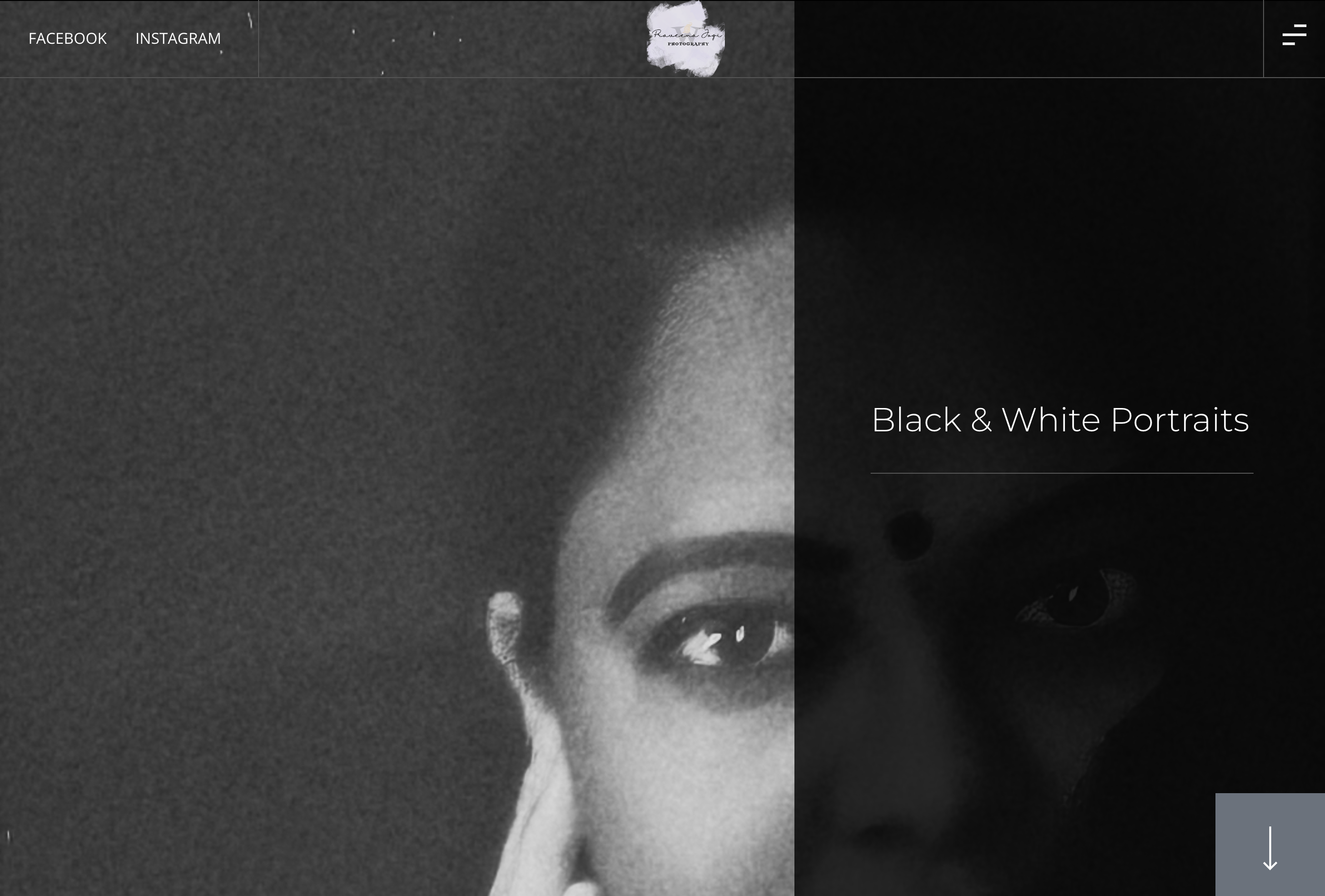
Grayscale portrait of woman's face in profile, text reads "Black & White Portraits"

     Black and white photography has always been a personal favorite of mine. It has a certain timelessness and sophistication that never goes out of style. The simplicity of black and white photography, the way it strips away the distractions of color, allows the subject to be the focal point. This simplicity creates a unique visual experience that cannot be replicated in color photos. 

     As a photographer and a model, I believe that black and white photography is an excellent option to consider for anyone looking for a unique and beautiful visual experience. The beauty of black and white photography is that it transcends current fashion trends and creates a sense of timelessness that can be appreciated for generations to come.

     If you are interested in experiencing the beauty of black and white photography for yourself, do not hesitate to contact us at Websiteistic today. We can help you capture your natural beauty and personality in a way that is both captivating and timeless.

Call Today!
Don’t miss out on experiencing the beauty of black and white photography for yourself! Contact us at Pravision (Formerly Websiteistic) today to book your next photoshoot and capture your natural beauty in a timeless and classic way. Call us now to discuss your photography needs and let us help you create a unique and beautiful visual experience that you will treasure for years to come.

Call

Pictures upload

Urban Athletica website displayed on mobile phone and desktop showing woman lifting weights in red gym with "We Generate Urban Legends" tagline and Shop Now button.

When it comes to website design and development, there is a wide range of projects that can be categorized as simple or hard. Some projects might involve complex coding and intricate design elements, while others might require basic functionality, pictures upload and a clean, minimalist layout. At Websiteistic, we approach each project with the same level of dedication and attention to detail, regardless of its complexity.

In the case of the Urban Athletica project, the task at hand was relatively straightforward: uploading images (pictures upload) to their site and adjusting the appearance of the landing page using an image carousel. While this might seem like a relatively simple task, it still required a certain level of technical expertise and creative flair to ensure that the images were displayed in the most visually appealing way possible.

One of the key challenges with image-based projects like this is ensuring that the images are optimized for both speed and quality. Large image files can slow down page load times, which can negatively impact user experience and even hurt your search engine rankings. At Websiteistic, we have a deep understanding of the technical aspects of image optimization and always strive to deliver projects that load quickly and look great on any device.

Another important aspect of the Urban Athletica project was the use of an image carousel on the landing page. Image carousels are a popular design element that allow you to display multiple images in a single space, without cluttering up the page with too much content. However, designing an effective image carousel requires a keen eye for visual design and an understanding of how users interact with your website. At Websiteistic, we specialize in creating intuitive, user-friendly designs that are optimized for conversion and engagement.

Overall, while the Urban Athletica project may have been relatively simple in terms of scope, it still required a high level of technical expertise and creative skill to ensure that the end result was visually stunning and optimized for user experience. At Websiteistic, we take pride in delivering exceptional results for all of our clients, regardless of the size or complexity of the project.

SHARE :

Facebook

Twitter

LinkedIn

Written By

Praveena Jogi


Let’s Talk

More Articles

Dog Product Photography

Woman in mint green dress grooming white dog with brush on patio with brick wall background.

Product Photography: City Paw Cleaner is a product designed by Bussell to make cleaning dog paws quick and easy. The product has been well received by pet owners who are constantly looking for innovative and convenient ways to care for their furry companions.

Websiteistic, a website design and digital marketing company, had the opportunity to conduct a product photography for City Paw Cleaner. This was an exciting opportunity for Websiteistic as they got to work with a unique and useful product that caters to the needs of pet owners.

The photoshoot aimed to capture the features of the City Paw Cleaner and showcase its benefits to potential customers. The product was photographed from various angles, highlighting its sleek design and easy-to-use mechanism. The photoshoot also aimed to capture the versatility of the product, demonstrating how it can be used both indoors and outdoors.

Websiteistic’s team worked closely with Bussell to ensure that the photoshoot captured the essence of the City Paw Cleaner. They made sure to emphasize the product’s efficiency, durability, and convenience. The photoshoot also aimed to showcase the different sizes of the product, making it suitable for dogs of various sizes and breeds.

The resulting photographs were of high quality and effectively captured the product’s unique features. These images were used in City Paw Cleaner’s marketing campaigns, including social media, email marketing, and website design. The photos helped to create a strong brand identity for City Paw Cleaner and increased the product’s visibility to potential customers.

Overall, the photoshoot conducted by Websiteistic was a great success. It helped to promote a unique and useful product that caters to the needs of pet owners. The high-quality images produced by the photoshoot played an important role in the product’s marketing campaigns and helped to create a strong brand identity for City Paw Cleaner.

SHARE :

Facebook

Twitter

LinkedIn

Written By

Praveena Jogi


Let’s Talk

More Articles

Pj4ever Photography Website

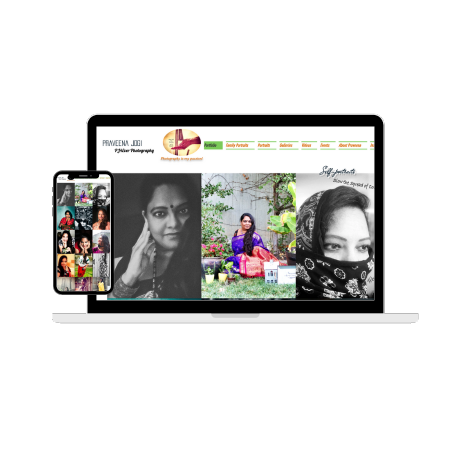
Website portfolio displayed on laptop and smartphone showing female headshots and photos in black and white and color

Designing a website for PJ4ever Photography can be a significant and exhilarating undertaking and was an exciting and important project. 

Designing and maintaining a photography website involves several steps and considerations, including selecting a website platform, creating a design that reflects the photographer’s style and brand, and regularly updating and maintaining the website to ensure it remains functional and visually appealing. Here is a brief overview of the process:

  1. Choose a website platform: The first step in creating a photography website is selecting a website platform. Popular options include WordPress, Squarespace, Wix, and Shopify. Each platform has its own set of features and design options, so it’s important to choose one that aligns with the photographer’s goals and preferences.

  2. Develop a design: Once a platform is selected, the photographer should create a design that reflects their style and brand. This involves selecting a color palette, font styles, and creating a layout that is easy to navigate and showcases their work effectively. The photographer may also choose to incorporate a logo or other branding elements into the design.

  3. Add content: After the design is established, the photographer should add content to the website. This may include a homepage, a portfolio of their work, an about page, contact information, and any other relevant information.

  4. Regularly update the website: It’s important to regularly update the website with new content and to ensure all links and pages are functioning properly. This may involve adding new photos to the portfolio, updating pricing information, or making changes to the design as needed.

  5. Monitor website performance: The photographer should regularly monitor the website’s performance using tools like Google Analytics to track metrics like website traffic, bounce rate, and user engagement. This information can help the photographer make informed decisions about how to improve the website over time.

  6. Backup website data: Finally, it’s important to regularly backup the website data to ensure that it can be restored in case of a technical issue or other problem. This may involve using a third-party backup service or downloading the website data to a local hard drive.

Overall, creating and maintaining a photography website requires careful planning, attention to detail, and regular updates and maintenance to ensure it remains an effective tool for showcasing the photographer’s work and attracting new clients.

SHARE :

Facebook

Twitter

LinkedIn

Written By

Praveena Jogi


Let’s Talk

More Articles

Capturing Cherished Moments: Daycare Photo

Smartphone and tablet displaying colorful classroom with blue seating, yellow chairs, dark wood cabinets, and educational posters on wall.

My experience taking photos of the brand new daycare center – Shruthi Family daycare – was a positive one.

The space was filled with natural light, and the walls were painted in calming pastel colors, creating a welcoming and relaxing environment for children.

SHARE :

Facebook

Twitter

LinkedIn

Written By

Praveena Jogi


Let’s Talk

More Articles